
FortiClient Problem on M1 MacBookPro Problem Solution
I found a quick fix solution for FortiClient VPN client connectivity issue with Apple M1 MacBookPro. It's not a big deal...
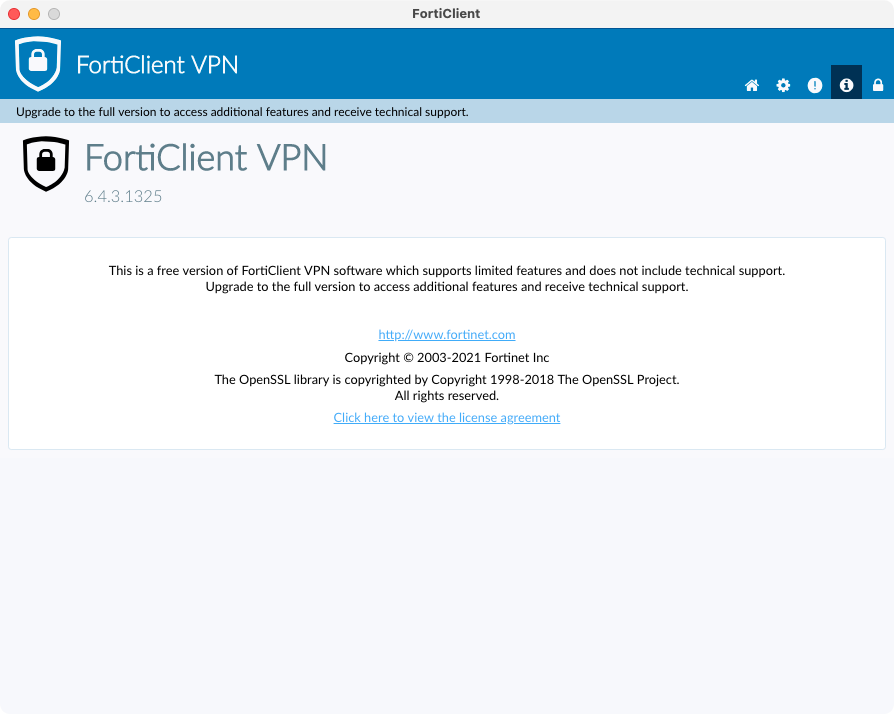
I need to connect VPN via FortiClient to do my work and access some resources securely. When I started to work for my company in March 2021, they gave me an M1 MacBookPro. M1 MacBookPro is different than the others because it comes with a new CPU architecture. Previously, Apple was using an Intel-based CPU but now, they decided to run macOS with an ARM-based CPU and Apple called M1 for now.
A lot of software not compatible with ARM. Sometimes I'm having some issues like "This component is not compatible with your CPU".
When I connected to VPN via FortiClient v6.4.3.1325, it looks like connected but my internet speed is getting too slow. Normally, I have 100MB/sec internet speed. I asked my colleagues about "are you having any issues with VPN and/or VPN speed?" and that they said "NO!" They are using a little bit older MacBookPro than mine with an Intel-based CPU and I thought it's a normal situation because Intel-based versions are okay and stable.
I started to debugging to find a root cause and I checked the routing table before connect to VPN.
➜  ~ netstat -rn
Routing tables
Internet:
Destination        Gateway            Flags        Netif Expire
default            192.168.31.1       UGScg          en0
127                127.0.0.1          UCS            lo0
127.0.0.1          127.0.0.1          UH             lo0
169.254            link#14            UCS            en0      !
192.168.31         link#14            UCS            en0      !
192.168.31.1/32    link#14            UCS            en0      !
192.168.31.1       ec:41:18:ec:c6:bc  UHLWIir        en0   1189
192.168.31.147/32  link#14            UCS            en0      !
192.168.31.147     a0:78:17:87:b4:88  UHLWI          lo0
192.168.31.171     b8:bc:5b:6:28:18   UHLWI          en0   1165
192.168.31.255     ff:ff:ff:ff:ff:ff  UHLWbI         en0      !
224.0.0/4          link#14            UmCS           en0      !
224.0.0.251        1:0:5e:0:0:fb      UHmLWI         en0
239.255.255.250    1:0:5e:7f:ff:fa    UHmLWI         en0
255.255.255.255/32 link#14            UCS            en0      !
My route table is looking okay. 192.168.31.1 is my wireless router and default root it to my wireless router. It's okay.
After this, I connected to VPN via FortiClient and I re-checked my route table. 10.212.134.152 is my local IP address which one is assigned by FortiClient.
➜  ~ netstat -rn
Routing tables
Internet:
Destination        Gateway            Flags        Netif Expire
default            link#19            UCSg          ppp0
default            192.168.31.1       UGScIg         en0
8.8.8.8            link#19            UHWIig        ppp0
13.224.58.179      link#19            UHWIig        ppp0
31.XXX.XX.XX/32    192.168.31.1       UGSc           en0
34.XXX.XX.XXX      link#19            UHWIig        ppp0
34.XXX.XXX.xxx     link#19            UHWIig        ppp0
35.XXX.XXX.XX      link#19            UHWIig        ppp0
35.XXX.XXX.XXX     link#19            UHWIig        ppp0
80.80.80.80        link#19            UHW3Ig        ppp0   3597
127                127.0.0.1          UCS            lo0
127.0.0.1          127.0.0.1          UH             lo0
169.254            link#14            UCS            en0      !
169.254.38.179     10.212.134.152     UH            ppp0
192.168.31         link#14            UCS            en0      !
192.168.31.1/32    link#14            UCS            en0      !
192.168.31.1       ec:41:18:ec:c6:bc  UHLWIir        en0   1181
192.168.31.147/32  link#14            UCS            en0      !
192.168.31.147     a0:78:17:87:b4:88  UHLWI          lo0
192.168.31.171     b8:bc:5b:6:28:18   UHLWIi         en0   1139
192.168.31.255     ff:ff:ff:ff:ff:ff  UHLWbI         en0      !
224.0.0/4          link#19            UmCS          ppp0
224.0.0/4          link#14            UmCSI          en0      !
224.0.0.251        link#19            UHmW3I        ppp0   3599
239.255.255.250    1:0:5e:7f:ff:fa    UHmLWI         en0
239.255.255.250    link#19            UHmW3I        ppp0   3599
255.255.255.255/32 link#19            UCS           ppp0
255.255.255.255/32 link#14            UCSI           en0      !
Our VPN service is not using split-tunneling and link#19 OR 10.212.134.152 is should be the next hop for the default route with my wireless router at the same time.
I delete my default route!
Yes, I decided to manipulate my routing table manually.
➜  ~ sudo route delete default
Password:
delete net default
Now, the next hop should be my FortiClient local ip address. It's 10.212.134.152 for my case. This local ip address is dynamic and it changes on every connection because DHCP is assigning this ip address.
Now, how my route table looks like? The default route shouldn't be there...
➜  ~ netstat -rn
Routing tables
Internet:
Destination        Gateway            Flags        Netif Expire
default            192.168.31.1       UGScIg         en0
31.XXX.XX.XX/32    192.168.31.1       UGSc           en0
127                127.0.0.1          UCS            lo0
127.0.0.1          127.0.0.1          UH             lo0
169.254            link#14            UCS            en0      !
169.254.38.179     10.212.134.152     UH            ppp0
192.168.31         link#14            UCS            en0      !
192.168.31.1/32    link#14            UCS            en0      !
192.168.31.1       ec:41:18:ec:c6:bc  UHLWIir        en0   1178
192.168.31.147/32  link#14            UCS            en0      !
192.168.31.147     a0:78:17:87:b4:88  UHLWI          lo0
192.168.31.171     b8:bc:5b:6:28:18   UHLWIi         en0    586
192.168.31.222     c:2c:54:e4:67:81   UHLWI          en0   1156
192.168.31.255     ff:ff:ff:ff:ff:ff  UHLWbI         en0      !
224.0.0/4          link#19            UmCS          ppp0
224.0.0/4          link#14            UmCSI          en0      !
224.0.0.251        link#19            UHmW3I        ppp0   3589
239.255.255.250    1:0:5e:7f:ff:fa    UHmLWI         en0
239.255.255.250    link#19            UHmW3I        ppp0   3588
255.255.255.255/32 link#19            UCS           ppp0
255.255.255.255/32 link#14            UCSI           en0      !
link#19 is disappeared from default route. Nice! And now, I can't access to the internet. As a default route, my wireless router is still on the route table but FortiClient is using it to keep connected to the VPN. Yeah, I'm still connected to the internet but I don't have a next hop.
➜  ~ ping -c 4 8.8.8.8
PING 8.8.8.8 (8.8.8.8): 56 data bytes
ping: sendto: No route to host
ping: sendto: No route to host
Request timeout for icmp_seq 0
ping: sendto: No route to host
Request timeout for icmp_seq 1
ping: sendto: No route to host
Request timeout for icmp_seq 2
— 8.8.8.8 ping statistics —
4 packets transmitted, 0 packets received, 100.0% packet loss
Let's add a new default route...
➜  ~ sudo route add default 10.212.134.152
add net default: gateway 10.212.134.152
Now, I can able to ping 8.8.8.8 after add a new default route.
➜  ~ ping -c 4 8.8.8.8
PING 8.8.8.8 (8.8.8.8): 56 data bytes
64 bytes from 8.8.8.8: icmp_seq=0 ttl=114 time=99.007 ms
64 bytes from 8.8.8.8: icmp_seq=1 ttl=114 time=98.277 ms
64 bytes from 8.8.8.8: icmp_seq=2 ttl=114 time=103.634 ms
64 bytes from 8.8.8.8: icmp_seq=3 ttl=114 time=104.365 ms
— 8.8.8.8 ping statistics —
4 packets transmitted, 4 packets received, 0.0% packet loss
round-trip min/avg/max/stddev = 98.277/101.321/104.365/2.704 ms
Cross check
I've checked the route table for last time to see what is difference after delete and add default route.
➜  ~ netstat -rn
Routing tables
Internet:
Destination        Gateway            Flags        Netif Expire
default            10.212.134.152     UGScg         ppp0
default            192.168.31.1       UGScIg         en0
31.145.77.18/32    192.168.31.1       UGSc           en0
127                127.0.0.1          UCS            lo0
127.0.0.1          127.0.0.1          UH             lo0
169.254            link#14            UCS            en0      !
169.254.38.179     10.212.134.152     UH            ppp0
192.168.31         link#14            UCS            en0      !
192.168.31.1/32    link#14            UCS            en0      !
192.168.31.1       ec:41:18:ec:c6:bc  UHLWIir        en0   1179
192.168.31.147/32  link#14            UCS            en0      !
192.168.31.147     a0:78:17:87:b4:88  UHLWI          lo0
192.168.31.171     b8:bc:5b:6:28:18   UHLWI          en0   1146
192.168.31.222     c:2c:54:e4:67:81   UHLWI          en0   1163
192.168.31.255     ff:ff:ff:ff:ff:ff  UHLWbI         en0      !
224.0.0/4          link#19            UmCS          ppp0
224.0.0/4          link#14            UmCSI          en0      !
224.0.0.251        link#19            UHmW3I        ppp0   3582
239.255.255.250    1:0:5e:7f:ff:fa    UHmLWI         en0
239.255.255.250    link#19            UHmW3I        ppp0   3557
255.255.255.255/32 link#19            UCS           ppp0
255.255.255.255/32 link#14            UCSI           en0      !
Now, everything is running perfect. My VPN connection is stable and fast!
Bonus
I need to delete and add a new default route when I need to connect VPN and every day I need to connect. I don't want to delete and add a new route manually and I wrote a little bash script for this routine.
You can save the script into your /usr/local/bin/ path with sudo vim. After that, don't forget to add chmod permissions for the script.
#!/bin/bash
FortiIP=$(netstat -rn | grep “10.212.134” | awk ‘{print $2}’)
sudo route delete default
sudo route add default $FortiIP
If you read from begging, I should say thank you! : )
More from Ercan
Two more sites, same author, different ground.
AI, LLMs, agents, applied ML.
Field notes on AI workloads. Bedrock cost analysis, agent patterns, vector storage trade-offs, production failure modes.
Visit ercan.ai →The hub. About, consulting, contact.
Personal hub for both writing tracks. Who I am, how the consulting works, how to reach me.
Visit ercanermis.com →