
Linuxで特定のファイルの正確なサイズをターミナルで調べる
使用しているmacOS、Linux、サーバーに複数の拡張子のファイルが多数存在することがあり、これらのファイルのサイズが気になったり、特定の調査のために該当する拡張子のファイルサイズを確認したい場合がある。
ある日、使用しているmacOS、Linux、サーバーに複数の拡張子のファイルが多数存在することがあり、これらのファイルのサイズが気になったり、特定の調査のために該当する拡張子のファイルサイズを確認したい場合がある。
先日、作業していたサーバーには*.webmと*.mp4の両方のファイル拡張子があり、サーバーのディスクをアップグレードするか、同じ動画の.mp4拡張子のものを削除する必要があった。
これを行うには複数の方法がある。ここでは3つの異なる最も頻繁に使用されるコマンドのみを説明する。
例えば、現在いるディレクトリに隠しフォルダがない場合、そのディレクトリ内の.jpgファイルのサイズを最もシンプルな方法で以下のコマンドで知ることができる。
まず、ディレクトリに存在するjpgファイルを一覧表示して確認したいので、以下のコマンドを実行して出力を表示する。MacのDocumentsフォルダに何があるか確認してみよう。
➜  Documents ls -la | grep jpg
-rw-r--r--@  1 ercanermis  staff  1607683 Feb 26 10:14 wallpaper-for-vertical-monitor.jpg
-rw-r--r--@  1 ercanermis  staff   242165 Aug 19  2019 10155854826986546_245396163509039923.jpg
-rw-r--r--@  1 ercanermis  staff   272199 Feb 26 10:00 C2014_Q2.jpg
では、これらのjpgファイルのサイズは?その質問への答えには以下のコマンドで十分だ。
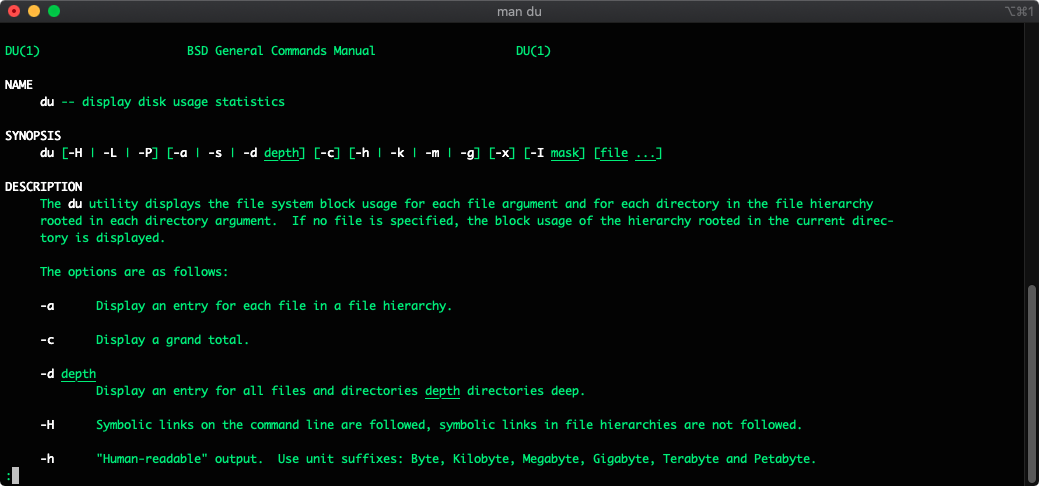
➜  Documents du -ch *.jpg
1.5M	wallpaper-for-vertical-monitor.jpg
240K	10155854826986546_245396163509039923.jpg
268K	C2014_Q2.jpg
2.0M	total
これらのファイルの合計サイズが重要な場合は、以下のようにする:
➜  Documents du -ch *.jpg | grep total
2.0M	total
Documentsフォルダに本当に3つのjpgファイルしかないのか?
そうは思えないので、中身を確認することにした。隠しファイルやフォルダがあるかもしれないからだ。すべてのjpgファイルのサイズをより深く調べてみよう。
➜  Documents find . -type f -name '*.jpg' -exec du -ch {} + | grep total
4.6M	total
ふむ。今度は合計4.6Mと表示されている。先ほどは"du -ch *.jpg | grep total"コマンドの出力が2.0Mだった。どうして可能なのか?隠しファイルや隠しフォルダがあるからだ。確認してみよう。
➜  Documents find . -type f -name '*.jpg' -exec du -ch {} +
1.5M	./free-wallpaper-for-vertical-monitor.jpg
268K	./C2014_Q2.jpg
240K	./10155854826986546_245396163509039923.jpg
372K	./git/Resources/main/1/std-front.jpg
324K	./git/Resources/main/3/std-front.jpg
272K	./git/Resources/main/2/std-front.jpg
696K	./git/Resources/main/splash_background.jpg
4.0K	./git/Resources/popup/social/bg-description.jpg
 40K	./git/Resources/popup/news/background.jpg
 40K	./git/Resources/popup/rooms/bg.jpg
 80K	./git/Resources/popup/bundle-bg-2.jpg
 88K	./git/Resources/popup/bundle-bg-3.jpg
 88K	./git/Resources/popup/bundle-bg-1.jpg
 96K	./git/Resources/popup/bundle-bg-5.jpg
4.0K	./git/Resources/popup/eventLeftScroll.jpg
 92K	./git/Resources/popup/eventBg.jpg
 40K	./git/Resources/popup/progression/upperBg.jpg
8.0K	./git/Other/nd_gcsdk_image_default.jpg
4.0K	./git/Other/nd_gcsdk_loading_bg.jpg
 20K	./git/Other/docs/img.jpg
 84K	./git/Other/docs/framework_architecture.jpg
 44K	./Do_My_Verification/1.jpg
264K	./Do_My_Verification/2.jpg
4.6M	total
これだ!gitフォルダのことを忘れていた。その中にjpgファイルがいくつかあったのだ!
結論
2つの異なる方法で、フォルダ内の特定のファイル拡張子をチェックし、そのサイズを一覧表示する方法を学んだ。これらのコマンドはCentOS、Ubuntu、macOSオペレーティングシステムで実行できる。
Raspberry Piなどの異なるLinuxディストリビューションでも動作する。
Ercan の他のサイト
同じ著者、別の領域のサイトが2つ。