
터미널에서 Linux 특정 파일들의 정확한 크기 찾기
이러한 파일들의 크기가 궁금할 수도 있고, 특정 작업을 위해 해당 확장자를 가진 파일들의 크기를 확인하고 싶을 수도 있다.
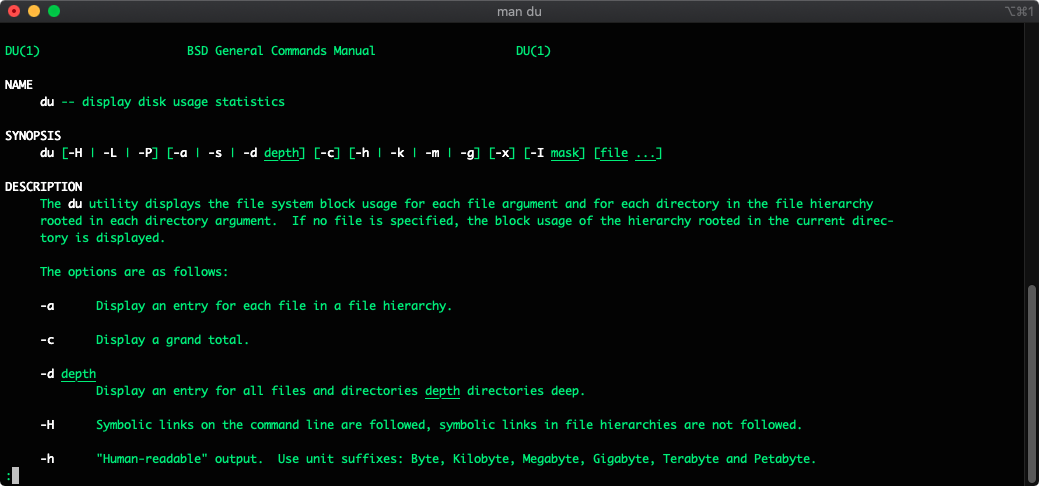
어느 날 macOS, Linux 또는 사용 중인 서버에 여러 확장자의 파일이 많이 있을 수 있으며, 이러한 파일들의 크기가 궁금할 수도 있고, 특정 작업을 위해 해당 확장자를 가진 파일들의 크기를 확인하고 싶을 수도 있다.
얼마 전 내가 작업하던 서버에는 *.webm과 *.mp4 파일 확장자가 모두 있었고, 서버의 디스크를 업그레이드하거나 동일한 비디오의 .mp4 확장자를 가진 파일들을 삭제해야 했다.
이를 수행하는 여러 방법이 있다. 나는 세 가지 서로 다른 그리고 가장 자주 사용되는 명령어만 설명할 것이다.
예를 들어, 현재 디렉토리에 숨겨진 폴더가 없다면, 다음 명령어로 가장 간단한 방법으로 해당 디렉토리의 .jpg 파일 크기를 알 수 있다.
먼저, 디렉토리에 존재하는 jpg 파일들을 나열하고 하나를 확인하고 싶으므로, 아래 명령을 실행하고 출력을 표시한다. 내 Mac의 Documents 폴더에 무엇이 있는지 확인해보자.
Documents ls -la | grep jpg
-rw-r--r--@  1 ercanermis  staff  1607683 Feb 26 10:14 wallpaper-for-vertical-monitor.jpg
-rw-r--r--@  1 ercanermis  staff   242165 Aug 19  2019 10155854826986546_245396163509039923.jpg
-rw-r--r--@  1 ercanermis  staff   272199 Feb 26 10:00 C2014_Q2.jpg
그렇다면 이 jpg 파일들의 크기는? 이 질문에 대한 답변으로 다음 명령어로 충분하다.
Documents du -ch *.jpg
1.5M	wallpaper-for-vertical-monitor.jpg
240K	10155854826986546_245396163509039923.jpg
268K	C2014_Q2.jpg
2.0M	total
이 파일들의 총 크기가 중요하다면 다음과 같이 할 수 있다:
Documents du -ch *.jpg | grep total
2.0M	total
Documents 폴더에 정말 3개의 jpg 파일만 있는가?
그렇지 않다고 생각해서 안에 무엇이 있는지 확인하기로 했다. 숨겨진 파일이나 폴더가 있을 것이기 때문이다. 모든 jpg 파일의 크기가 얼마인지 더 깊이 확인해보자.
Documents find . -type f -name '*.jpg' -exec du -ch {} + | grep total
4.6M	total
흠. 이제 총 4.6M라고 표시되지만, 이전에 "du -ch *.jpg | grep total" 명령 출력은 2.0M였다. 어떻게 가능한가? 숨겨진 파일과 폴더가 있기 때문이다. 확인해보자.
Documents find . -type f -name '*.jpg' -exec du -ch {} +
1.5M	./free-wallpaper-for-vertical-monitor.jpg
268K	./C2014_Q2.jpg
240K	./10155854826986546_245396163509039923.jpg
372K	./git/Resources/main/1/std-front.jpg
324K	./git/Resources/main/3/std-front.jpg
272K	./git/Resources/main/2/std-front.jpg
696K	./git/Resources/main/splash_background.jpg
4.0K	./git/Resources/popup/social/bg-description.jpg
 40K	./git/Resources/popup/news/background.jpg
 40K	./git/Resources/popup/rooms/bg.jpg
 80K	./git/Resources/popup/bundle-bg-2.jpg
 88K	./git/Resources/popup/bundle-bg-3.jpg
 88K	./git/Resources/popup/bundle-bg-1.jpg
 96K	./git/Resources/popup/bundle-bg-5.jpg
4.0K	./git/Resources/popup/eventLeftScroll.jpg
 92K	./git/Resources/popup/eventBg.jpg
 40K	./git/Resources/popup/progression/upperBg.jpg
8.0K	./git/Other/nd_gcsdk_image_default.jpg
4.0K	./git/Other/nd_gcsdk_loading_bg.jpg
 20K	./git/Other/docs/img.jpg
 84K	./git/Other/docs/framework_architecture.jpg
 44K	./Do_My_Verification/1.jpg
264K	./Do_My_Verification/2.jpg
4.6M	total
됐다! git 폴더를 잊고 있었고 그 안에 jpg 파일들이 있었다!
결론
두 가지 다른 방법으로 폴더 내 특정 파일 확장자를 확인하고 크기를 나열하는 법을 배웠다. 이 명령어들은 CentOS, Ubuntu 또는 macOS 운영 체제에서 실행할 수 있다.
Raspberry Pi와 같은 다른 Linux 배포판에서도 작동할 것이다.
Ercan의 다른 글
같은 저자, 다른 영역의 사이트 두 개.